Co-Browsing Software: Guide Your Customers Live

Help customers to explore websites, complete forms, and resolve issues with SAN Co-Browsing. Guide your customer in real time with visual tools and data masking, without needing any software downloads.

Co-Browsing Software

Trusted by 2200+ Businesses

Allianz Partners IndiaMart EbixCash Via MAX Healthcare Patanjali Yatra MakeMyTrip Star Insurance IRCTC
Co-Browsing

What is Co-Browsing?

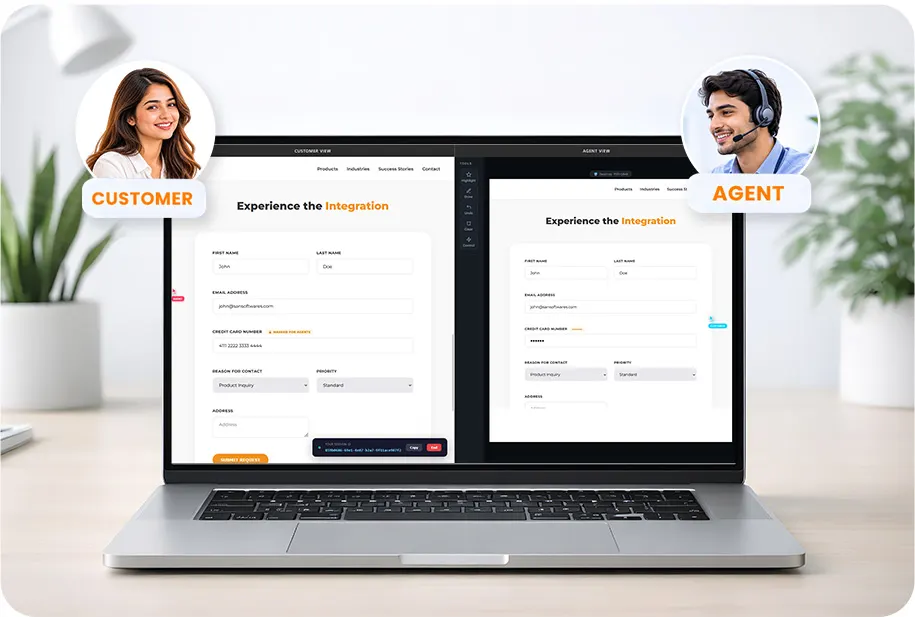
Co-Browsing is a real-time, collaborative tool that allows customers and support agents to review and interact with the same web page. It helps agents guide customers through online forms, website issues, and other online tasks without needing clear, real-time verbal instructions.
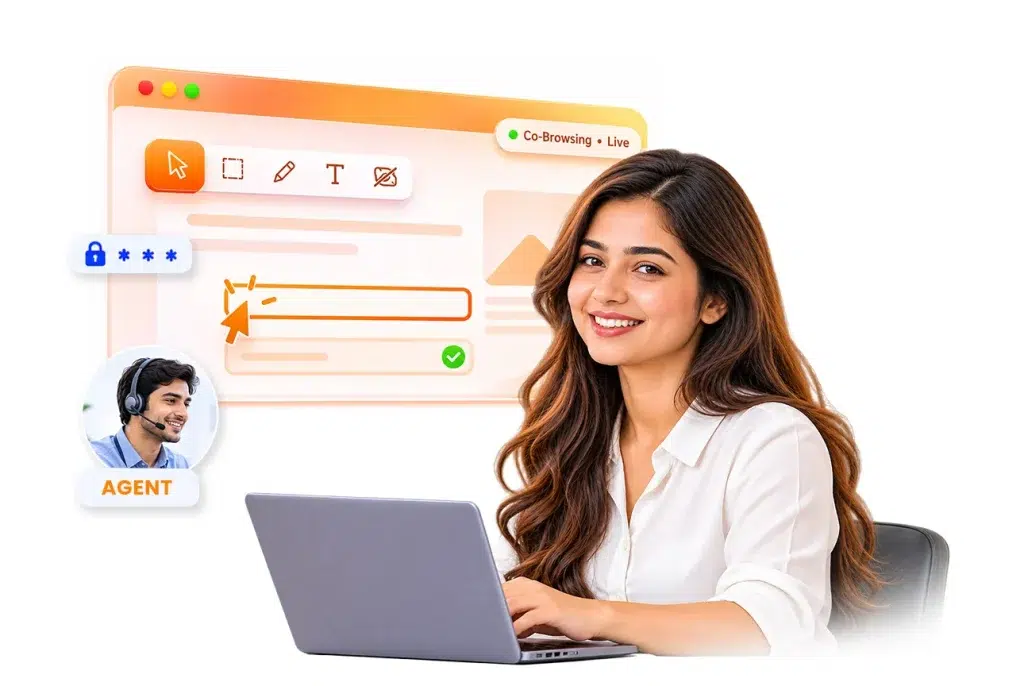
With live visual guidance, agents highlight important sections, point out buttons, and help customers to complete tasks step by step. Co-browsing also supports sensitive data masking to protect customer information during sessions, without downloading any additional software.

What are the Key Benefits of Co-Browsing Software?

Here are the key benefits of Co-Browsing Software that enhance customer support, protect customer privacy, and provide real-time assistance.

Zero Software Installation

Zero Software Installation

Co-Browsing Tools allow customers to join sessions directly through their web browser without downloading any software or installing browser extensions.

Sensitive Data Masking

Automatic Sensitive Data Masking

Automatically hides customer sensitive information, such as passwords, payment details, and personal identifiers, before it reaches the support agent.

Low Bandwidth Usage

Low Bandwidth Usage

It helps to transfer lightweight webpage changes through WebSocket connections and ensures Co-Browsing with minimal data usage.

Private and Secure Browsing

Private and Secure Browsing

It focuses on the specific webpage and keeps other browser tabs, applications, and personal activities private during the session.

Instant Connection

Instant Connection

Customers can connect with a support agent in under 2 seconds using a one-click launch and a simple 6-digit session PIN.

What are the Features Provided by Co-Browsing Software?

SAN Co-Browsing is built for high-demand contact centers, customer support teams, and sales representatives, with comprehensive collaboration tools.

Zero Downloads and One-Click Launch

Zero Downloads and One-Click Launch

Customers can join a Co-Browsing Session directly through their browser without downloading software, plugins, or extensions. It is a single-click launch where customers can start a session by clicking the support link or widget, making it easy to get support on desktop, tablet or mobile devices.

Dual Cursors and Remote Guidance

Dual Cursors and Remote Guidance

It gives dual cursors and remote guidance allowing support agents to see customer cursor movements and guide them. With customer permission agents get access to fill out some details, open menus, and complete online tasks.

Live Annotations and Drawing Tools

Live Annotations and Drawing Tools

It allows support agents to use live annotations, pointers, highlights, and drawing tools to mark important elements. These tools help customers understand instructions and complete tasks easily.

Automatic Field-Level Masking

Automatic Field-Level Masking

Customer important Information, like passwords, payment card details, Aadhaar numbers, PAN numbers, can be masked before webpage activities are shared with the agent. Field-level masking helps to protect customer privacy during support sessions.

Real-Time Webpage Connection

Real-Time Webpage Connection

Co-Browsing Technology keeps the customer’s and agent’s webpages connected in real time using WebSocket technology. It allows both to see webpage changes smoothly, helping agents to guide customers without delays.

Customer Controlled Sessions

Customer Controlled Sessions

Customers stay in control of Co-Browsing Sessions. They can pause and end a session at any time using the session control, giving them more control over their online support experience.

Session Recording and Replay

Session Recording and Replay

It provides session recording and replay, allowing businesses to review recorded sessions, where enabled, for quality checks, agent training, and problem resolution. Replay tools help teams to understand how customer interactions were handled.

Supervisor Live Monitoring

Supervisor Live Monitoring

Supervisors can monitor active sessions to observe how agents assist customers. Available monitoring and assistance tools help managers to guide agents where additional support is required.

Simple Website Integration

Simple Website Integration

Advanced Co-Browsing Solution can be integrated into websites, web applications, and e-commerce platforms using a JavaScript snippet. It helps businesses to add real-time customer assistance to their existing websites with minimal setup.

How Does Co-Browsing Technology Work?

Co-Browing connects customers and support agents in real time to resolve website problems in simple three steps.

Customer Requests Assistance

Customer Requests Assistance

When a customer visits a business website and clicks the integrated live support widget to request help. A 6-digit session PIN is generated to connect the customer with a suitable support agent.

Customer and Agent Connect

Customer and Agent Connect

After entering the Session PIN, the connection is established. Now the webpage activity is connected between the two Client & Agent browsers through a secure connection.

Collaborate and Resolve Issues

Collaborate and Resolve Issues

Now the Agent can use pointers, highlights, and other drawing tools to explain steps. With customer permission, agents can fill out some details, open menus, and assist with supported actions on the webpage.

Why Choose SAN Co-Browsing Solution?

Traditional customer support can be time-consuming when customers struggle to navigate websites or resolve problems. SAN Software’s Co-Browsing Solution makes it easier for support agents to guide customers in real time using visual tools and secure data masking.

With SAN Co-Browsing, customers get step-by-step help without downloading any software, making support faster, easier, and more secure.

SAN Co-Browsing Solution

Assist Your Customer Live With
Co-Browsing Software

Give your customers step-by-step website assistance while keeping their sensitive information protected.

Frequently Asked Questions

Co-Browsing software allows customers and agents to see the same webpage in real time and resolve issues together.

No, software installation is needed, customers can join sessions directly through their web browser.

Screen sharing shows the customer's entire screen or a selected application, depending on the tool. Co-Browsing allows a customer and a support agent to view and interact with the same webpage during a session. This focuses on the webpage, while screen sharing can display other on-screen content.

Co-Browsing helps to protect customer privacy by allowing businesses to hide sensitive information, such as passwords, payment details, and personal data. Agents can view only the permitted webpage content, depending on the tool settings.

SAN Co-Browsing helps support agents to guide customers using pointers, highlights, and other drawing tools to solve website problems.

Yes, this protects customer privacy through sensitive data masking before it reaches the support agent.

Yes, with the customer's permission, agents can access and fill out some details, open menus, and assist with online support tasks.

Yes, customers can pause or end sessions whenever needed, giving them control over their support experience.

Yes, Co-Browsing can be integrated into websites, web applications, and e-commerce platforms using a JavaScript snippet.

Verify to Start Call

Enter your details and captcha to start the call

Call Us WhatsApp
Need Help?
Talk to Sanya ✨