
AI Solutions
AI Contact CenterAI-Enabled Contact Center Solution

AI Agent SolutionAutonomous agent for sales &
support

AI Voice AgentConversational Voice AI Agent for Sales &
Support

AI ChatbotAI-powered customer support on Web & WhatsApp

AI Noise Cancellation (SanClarit)Remove Background Noise in Real
Time

Ticket Management System (SanTMS)AI-enabled Helpdesk and ticket
management
solution
Calling Solutions

Call Center Solution (SanCCS)On-premises contact center
solution

Hosted Call Center Solution (SanCCS)Cloud-based contact center
solution
with Zero Hardware Requirement

Click To Call (Dialer For CRM)CTI Integration with your internal &
external
CRM

Office Telephony (SanIPPBX)Connect multiple-branch offices over the
internet for voice
calls

Hosted IVR (EasyGoIVR)Cloud-based IVR Service for real-time call
routing &
reporting
Industry Specific

Lead Management Software (VedaERP)Billing, accounting & ERP
software

Immigration CRM (SanE-Visa)CRM to manage Leads, Status, College fee
Structures, and
Invoices

Transport Management (SanTrans)Transport Management System for
transportation
businesses

Real-Estate CRM (Mera Estate)Complete property management system for
brokers and real
estate agencies

Order Management (SanORDO)Automates and streamlines order processing
for D2C
businesses

Emergency Response Coordination Center (SanERCC)Coordinate emergency
calls, alerts, and response teams from one platform.
WhatsApp Solution

TeamInspectorWhatsApp Chat Monitoring Tool for
Businesses

WhatsApp Business ToolWhatsApp Business Calling Solution with
Meta

WhatsApp Business CallingWhatsApp Chatbot Integration for
Industries

WhatsApp Marketing SoftwareWhatsApp Marketing Software to Boost Customer
Engagement

Businesses use phone calls to answer customer questions, provide support, and stay connected with customers. When the number of calls increases, managing calls manually can be difficult. A Call Management System helps businesses to handle incoming and outgoing calls, connect calls to the right agent, and keep call records.
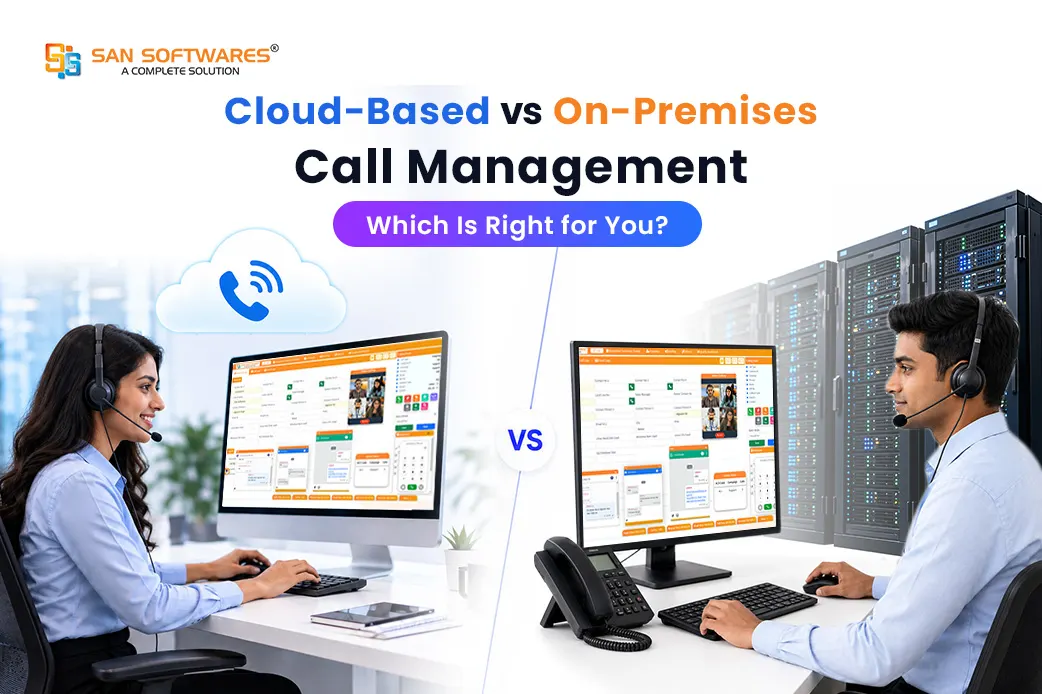
Businesses can choose between Cloud-based and On-Premises Contact Center Solution based on their business requirement. Cloud-Based run over the internet, while On-premises are installed on company servers. Both support business communication, but they differ in setup, maintenance, access, and control.
These differences help businesses to choose the option that suits their needs.
| Factor |
Cloud-Based
|
On-Premises
|
|---|---|---|
|
Setup
|
Hosted by the service provider, so less setup is needed in the company. | Installed on the company’s infrastructure |
|
Maintenance
|
The provider handles maintenance and updates | The business manages maintenance and updates. |
|
Access
|
This can be accessed from different locations with an internet connection. | This is accessed from the company’s network. |
|
Hardware
|
Needs less equipment and infrastructure at the company’s office. | Requires company-owned servers and supporting infrastructure. |
|
Scalability
|
Users and resources are easy to add. | It may require additional hardware and setup. |
Cloud-based systems usually need less initial investment in hardware and servers. Businesses pay for a service based on their needs instead of purchasing their own equipment and maintaining all the necessary infrastructure themselves. The total cost depends on subscription fees, calling charges, and additional features.
As a business grows,its call volume and staffing need change. This system makes it easier to add users and expand capacity without installing new servers. This flexibility helps businesses to increase their call tasks without buying new on-site servers for every increase in capacity.
It helps agents to handle business calls from different locations, depending on the system’s features and internet availability. Cloud Call center Solution makes it suitable for businesses with remote teams or multiple offices, or teams that work from different locations.
The service provider usually manages server maintenance and infrastructure updates,maintenance, and technical support. It reduces the need to handle these tasks themselves for businesses.
An On-Premises system helps businesses to handle their own services, network configuration, and system setting. It helps to set up systems according to their operational needs.
This system supports customer call routing, extensions, and integrations, depending on the software. On-premise helps businesses to configure Call Management according to their existing processes.

Businesses decide where call records are collected and manage access permissions and security settings. They also handle security updates, backups, and system tracking to protect their data.
This system reduces dependence on a cloud hosting provider for the core infrastructure. Depending on its setup, it may also support certain local calling operations during an internet outage. However, external calls and remote access may still require an internet connection.
A right Management system depends on the business requirements, setup, number of users and existing setup.

A Cloud-based Call Management System is a suitable choice for businesses that want an easy setup, access from different locations, and the flexibility to add users as the business increases. This is useful for teams that work across offices or locations and need an easy way to handle business calls.


An On-Premises Call Management System is good fit for businesses that already have their own IT infrastructure and want to direct control over the system. This helps the business to handle its call setup according to its needs and existing infrastructure.
Both Cloud-based and On-premises call management systems help businesses to manage their call and communication. The main difference is how the system is hosted, maintained, and managed. Cloud-based systems need less infrastructure and are easier to manage, while on-premises systems provide more control over the setup.
The right choice depends on business infrastructure, technical resources and communication needs. SAN Softwares offers both Cloud-Based and On-premises Contact Center Solution that help businesses to manage calls, enhance communication, and support their day-to-day operations.
Yes, A Cloud-Based Call Management System integrates with CRM Software to connect customer details with business calls. It helps agents access customer details, handle call records, and manage customer conversation.
It usually takes less time to implement because the system is hosted by the service provider. The exact time depends on the business requirements and integration.
This takes more time because the system needs to be installed and configured on the business' own infrastructure. The time depends on the hardware, network, and system requirement.
An On-Premises Call Management System gives more direct control because the system is managed within the business’ own infrastructure.
© 2026 SAN Softwares Pvt Ltd | All Right Reserved
Enter your details and captcha to start the call