











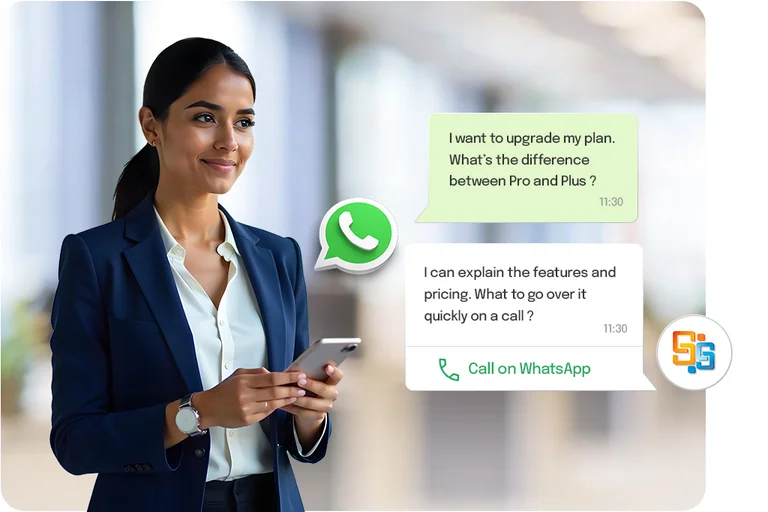

WhatsApp Business Calling

Whatsapp Business Calling - SAN Softwares

Turn Chat Into Real-Time Conversation

Your customers already chat with your business on WhatsApp. Now, we are helping you enable WhatsApp Voice Calls directly within the same WhatsApp conversation: No new numbers, No Extra apps, No Friction.

WhatsApp Business Calling Banner

Trusted by More Than 1500+ Clients

WhatsApp Business Calling Solution

What Is WhatsApp Business Calling?

WhatsApp Business Calling Solution lets businesses make and receive voice calls in WhatsApp. It can be integrated with modern contact centre software, helping customers connect with your business instantly without switching apps, saving business numbers, or dialling manually.

It allows:

Benefits of WhatsApp Calling for Business

Let's see how WhatsApp Call for Business can benefit you.

HQ WhatsApp Calling

HQ WhatsApp Calling

Consistent voice quality on WhatsApp aids professional conversations across borders

Cost-Effective Icon

Cost-Effective

Internet-based calls reduce roaming and international calling costs

Smart Escalation Icon

Smart Escalation

Chatbots handle basic tasks, while agents handle complex conversations via calls

Faster Issue Resolution Icon

Faster Issue Resolution

WhatsApp voice calls streamline communication and resolve queries efficiently

Transform Customer Support With WhatsApp Calling in Business Features

Here are the features of the WhatsApp Business Calling Solution you are looking for

Connect WhatsApp Channel Icon

Connect WhatsApp Channel

Link your WhatsApp business account to enable voice calls

Existing Landline Number Enablement Icon

Existing Landline Number Enablement

Transform your landline number into a WhatsApp Business Calling Number

Analyse Record & Improve Icon

Analyse Record & Improve

Get recordings for the calls with transcripts and monitor quality with QA tools for better agent training

Call Routing & Handling Icon

Call Routing & Handling

WhatsApp call routing directly to your call center agent via IVR, just like a typical inbound call

Unified Chat Icon

Unified Chat & Voice Call on One Business Number

No confusion, chats and calls happen on the same WhatsApp number, whether user-initiated or business-initiated
How Does WhatsApp Business Calling Work?

Discover how your WhatsApp calling works with your contact center software for seamless customer engagement

WhatsApp Business calling image
1

Initiate a call

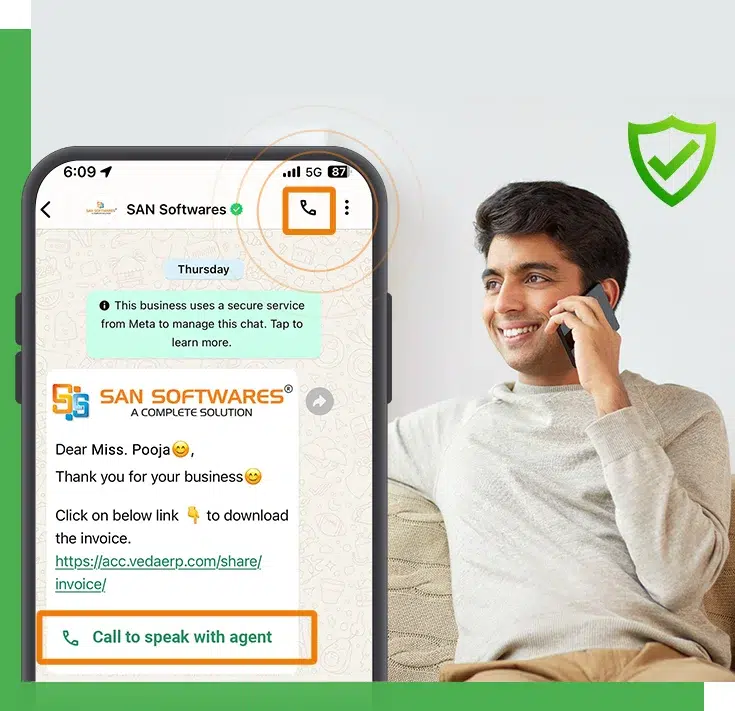
Customer gets a call button icon in the chat window to connect instantly with the agent.

2

IVR menus

Friction of DTMF input in the chat to let the customer select options via keys in the WhatsApp chat.

3

Outbound Call

Agents can call the customer only with the customer's consent.

4

Security and compliance

WhatsApp Calls require consent, follow privacy rules, and strictly prevent spam.

Who Can Use WhatsApp Calling For Business

WhatsApp Calling for business

Unlock additional ROI with WhatsApp Voice Calls

Our expert team ensures the smooth integration of WhatsApp Business Calling Solution with your Call Centre CRM System. It provides end-to-end support to help you connect customers faster and more efficiently.

BG Image

Why Choose SAN Softwares?

SAN Softwares has been providing exceptional telecommunication solutions globally for the last 25+ years. We genuinely care about the people we work with and their needs in the evolving marketplace.

ISO Certified Company

ISO Certified

We are ISO certified, ensuring high-quality standards and security, and offering reliable, consistent solutions you can rely on.

24/7 Customer Support

24/7 Customer Support

We are always at your service, ready to provide prompt and dependable support whenever you need it.

Cost Effective Software Solutions

Cost-Effective Solutions

We offer effective & affordable solutions tailored to your needs, delivered without compromising quality.

25 years Experience

99.9% Guaranteed Uptime

Our solutions are engineered for high-quality availability through redundant infrastructure and proactive monitoring, with your business at the top.

Frequently Asked Questions

WhatsApp calling for businesses allows them to make and receive voice calls directly on WhatsApp using the WhatsApp Business Platform. It helps the brand to connect with customers in real time without switching apps.

There are two types of WhatsApp Voice Calling:

  • Business-initiating calls (After customer’s permission)
  • User-initiating Calls (Customer calls the business first)

Both ensure privacy and policy consent.

WhatsApp Calling in business enables instant issue resolution, reduces back-and-forth chats, and adds a human touch to support. It improves first-call resolution and customer satisfaction.

Yes, any brand or business must obtain the customer's permission before initiating a WhatsApp call. This keeps communication user-friendly and compliant.

Yes, WhatsApp Business Calling can be integrated with existing CRM Systems and contact centre software. It enables call logs, recording, agent routing, and customer history in one dashboard.

The WhatsApp Business Calling access from Meta is free, but calling and conversation usage is chargeable. Pricing depends on call types, duration, and region.

Yes, the WhatsBusiness Platform officially supports voice calling through its Calling API for approved businesses.

Costs vary by country. Contact our sales team for exact pricing.

The difference:

WhatsApp Business Platform: API-based, supports automation, CRM integration, scale and calling, ideal for medium to large businesses.

WhatsApp Business App: Free, manual use, best for small businesses.

If a customer declines a call request, the business cannot make an outbound call. However, the call request remains valid for 7 days, giving the customer time to accept it. During this period, the business can communicate with the customer via WhatsApp Business chat. If the customer does not take the request within the 7 days, the company can submit another call request after this period.

Yes, you can use a landline number for WhatsApp Business Calls.

Yes, Call Icon is available in the top-right corner of the chat window in WhatsApp to customers after integrating the WhatsApp Business API for voice calling.

Our Relatable Videos